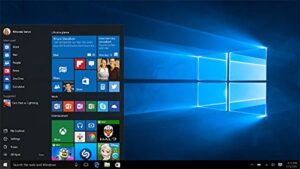
What are Temporary Files ??
Temporary files are created by the software, apps or active task to run smoothly by providing the transfer of data, managing features like user preferences, software data and also backup recovery. These files have short-term utility and do not store the permanent data.

There’s noting about temporary files, but once the cache data they contain have fulfilled the purpose, they are no further require. They take a place in an unused corner of your hard disk. These files are generated every day based on the PC usage and can take more and more space on hard drive. Hence we should clean these files time to time to run the PC smoothly.
Steps to Delete Temp files in Windows 7,8 & 10.
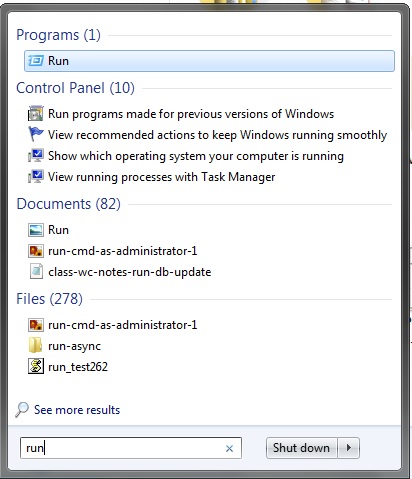
Step 1 : Press Windows Icon and type run command in the search window. Run window will open and Type Temp file in the run command window as shown below :
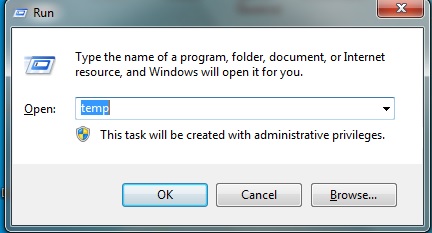
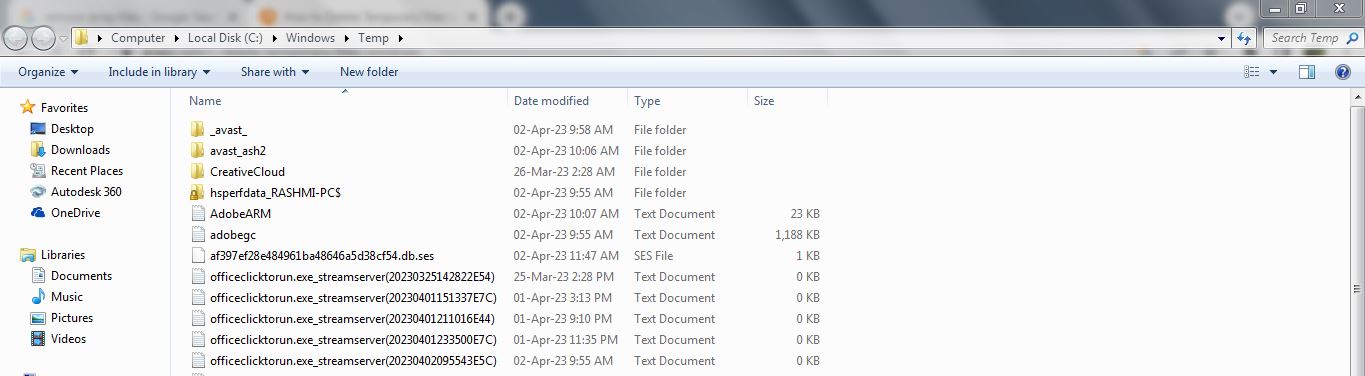
Step 2 : Temp folder will open and you will the files which are created by the apps or software. Select Ctrl + A to select all the files and press delete. Note : Please close all the program during this process.
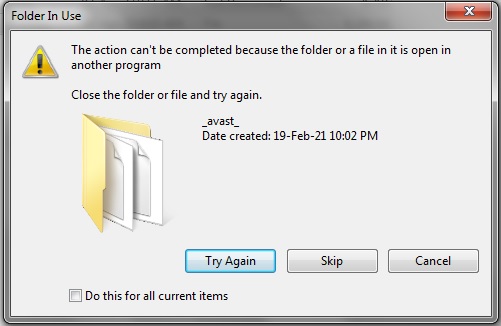
Step 3 : A pop up window will occur during this process as below. Don’t worry about it just tick mark on do this for all current items and press skip.
After performing the above process, note that these Temporary files are saved in the recycle bin. Just right click on the recycle bin and press empty recycle bin. You will see a fair amount of hard disk space is available after these process. Also PC performance will be improved compare to earlier performance.
Microsoft Windows 11 Pro – 64 Bit